
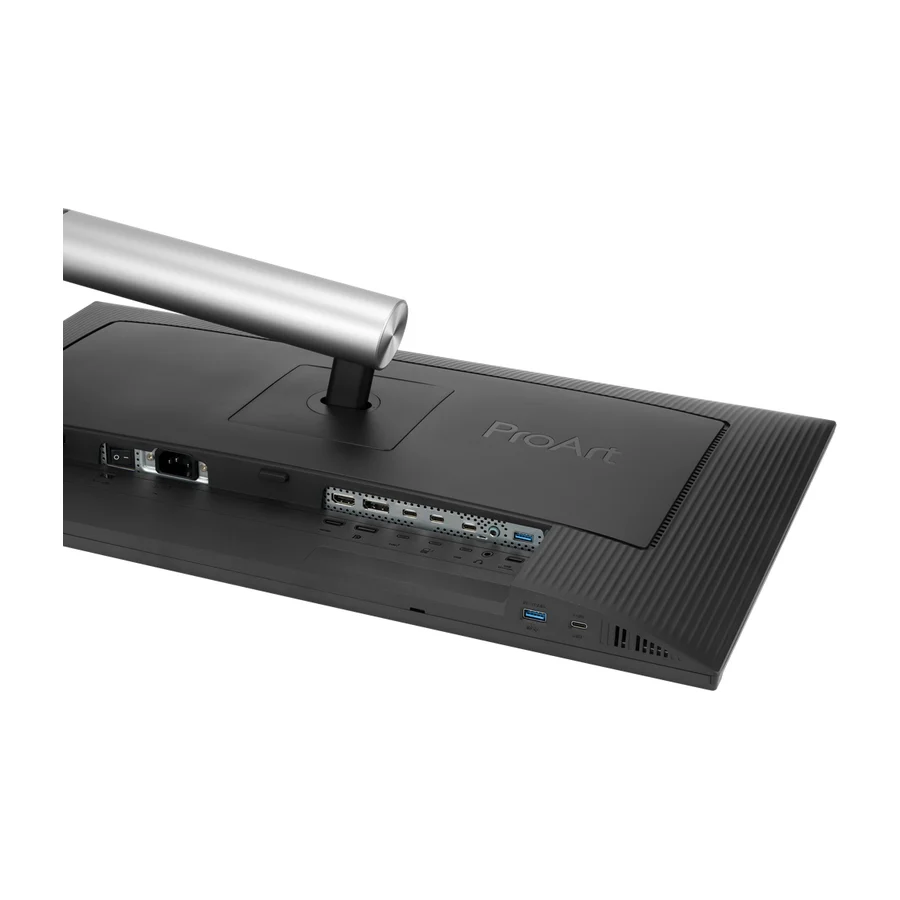
ASUS ProArt Display PA278CFRV
Consolidated from 3 independent outlets
Where the cited sources landed, as we read them
- 3 positive sources
Pros & cons
- ✓ 27-inch 1440p IPS panel
- ✓ 144-Hz refresh
- ✓ Excellent color accuracy
- ✓ Strong factory color accuracy at a mid-range price
- ✓ 100Hz refresh
- ✗ Only 100Hz where the PA278CGV offers 144Hz for a modest premium
The sources behind this ranking
We searched the web and YouTube for what has been published about this product, then read the articles, video transcripts and comments we found.
Evidence 1 article, 1 video review and 1 community source
3 positive sources
 PCWorld Matthew S. Smith · reviewer · Nov 2022
 The Asus ProArt PA278CFRV stands out as an excellent choice for home office users who need a monitor for general office productivity or content creation.Read R RBL Reviews RBL Reviews · 790 subscribers · Apr 2025
The color accuracy of the ProArt PA278 CFRV is impressive, though it may not outshine high-end competitors. It covers a wide color gamut and has preset modes for sRGB, DCI, P3, and Adobe RGB, making it versatile for various creative workflows. While it delivers excellent performance for photo editing, graphic design, and video production, the contrast and brightness could be better. The HDR performance is available, but is somewhat disappointing, not quite reaching the level of more expensive monitorsWatch I Instagram Instagram post
Introducing the Asus Pro Art PA278CFRV, a color accurate monitor. If you want to try it click on the link in my bio!View post
Frequently asked questions
None of the 3 sources with a clear view is critical of it. Only 100Hz where the PA278CGV offers 144Hz for a modest premium.
Photographers, designers and anyone who needs trustworthy colour without paying flagship money. It has strong factory colour accuracy, 100Hz refresh, daisy-chainable USB-C and a lux meter for ambient calibration, and it is one of the cheapest genuinely colour-trustworthy panels on our board, in B tier. If you care more about smoothness than the lux meter, the ASUS ProArt Display PA278CGV adds 144Hz for a modest premium and ranks higher.
Buy the ASUS ProArt Display PA278CGV for most desks. It offers 144Hz where the ASUS ProArt Display PA278CFRV stops at 100Hz, and the difference in price is modest, which is the main reason the CGV ranks higher on our board. Choose the PA278CFRV if its ambient-light lux meter and daisy-chaining matter more to your colour work than the extra refresh.
Yes. Strong factory colour accuracy at a mid-range price is its defining strength, and the board rates it one of the cheapest panels you can genuinely trust for colour-critical work. Like other ProArt monitors it supports calibration, so accuracy can be maintained as the panel ages.
It measures the ambient light in the room so the monitor can adjust brightness and colour temperature to match. Prints and screens look different under warm evening light than under daylight, and the meter helps the display track those conditions. It is a feature for people who judge colour, not a gimmick, but it is also the main thing you give up by choosing the 144Hz sibling instead.
Yes. Daisy-chainable USB-C is a listed feature, so a second compatible monitor can connect through this one rather than straight to the computer. That keeps a laptop on a single cable even with two screens. The second display must support the same chaining standard for it to work.
Ranked nearby in Computer Monitors
 A tier #3
 ASUS ProArt Display PA32QCV
 B tier #4
 Dell 27 Plus 4K (S2725QC)
 B tier #5
 Dell UltraSharp U4025QW
 B tier #6
 ASUS ProArt Display PA27JCV
 B tier #7
 ASUS ProArt Display PA278CGV
 B tier #9 1 of 7 research runs entered this as a product to avoid rather than a pick.
 ASUS ProArt Display PA32UCXR
 C tier #10 1 of 9 research runs entered this as a product to avoid rather than a pick.
 Apple Studio Display (2022)
 C tier #11
 Dell UltraSharp U2724DE
 D tier #12 2 of 5 research runs entered this as a product to avoid rather than a pick.
 BenQ GW2486TC
 D tier #13 1 of 9 research runs entered this as a product to avoid rather than a pick.