
Logitech MX Master 4
The most complete ergonomic package with smooth haptics, excellent battery life, and a shape that fits most hands without tinkering.
Consolidated from 96 cited sources across 84 outlets
Where the cited sources landed, as we read them
- 1 glowing source
- 6 enthusiastic sources
- 44 positive sources
- 33 mixed sources
- 7 unconvinced sources
Pros & cons
- ✓ Smooth haptics for precise cursor control
- ✓ Excellent battery life that lasts weeks
- ✓ Ergonomic shape that fits a wide range of hand sizes
- ✓ Best sensor for precision
- ✓ Versatile button layout
- ✗ Higher price point compared to many competitors
The sources behind this ranking
We searched the web and YouTube for what has been published about this product, then read the articles, video transcripts and comments we found. 1 outlet wouldn't let us check its link.
Evidence 39 articles, 52 video reviews and 5 community sources
6 enthusiastic sources
 SmashPad Andrew Farrell · reviewer · Jan 2026
 The Logitech MX Master 4 is another high quality productivity mouse that offers a seemingly superior build to its predecessor with three major differences. Overall, this isn’t a drastically different mouse and I don’t find its main new feature to be the most compelling addition, but this is still one of the finest productivity mouses on the market, with lots of great customizable features.Read G
 GamepadSquire GamepadSquire · reviewer · Aug 2026
 The MX Master 4 refines an already-classic formula: haptic feedback, the Actions Ring, a durable new chassis that fixes the 3S's sticky-coating problem, and even quieter clicks. Same 70-day battery, same 8,000 DPI glass-tracking sensor, same no-onboard-memory and no-dongle-storage quirks.Read M
 Mediaberry Alex Berry · reviewer · Nov 2025
 That sentence alone should tell you everything about where we are with the Logitech MX Master 4, and modern mice in general actually – we’re firmly in iterative refinement territory, not revolutionary redesign.Read T
 The Point Online Article · Oct 2025
 The Logitech MX Master 4 has some pretty big shoes to fill, considering that each and every one of its predecessors was considered to be the very best productivity mouse available at the time.Read T
 Trusted Reviews Reece Bithrey · reviewer · Oct 2025
 There aren’t many third-party apps supported at launch, but Logitech has opened it up to developers who want to integrate their app into the MX Master 4’s clever functionality.Read T
 Tom's Guide Article · Feb 2026
 Is the MX Master 4 nevertheless one of the best wireless mice out there? Absolutely.Read
44 positive sources
The 4 is a massive improvement for me, personally. I am scrolling horizontally through Excel spreadsheets all day, and I can get 3 times as far with one flick on the 4 than I can with the 3S. With more of it exposed, it is also easier to find an easy point to grab onto regardless of your hand position. On the 3S it is recessed slightly, in its own little area. But being able to slide directly fromRead thread S
 Switch and Click Switch and Click · 1.3M subscribers · Oct 2025
 I'm testing a mouse that's supposed to be the perfect upgrade to my previous longtime favorite.Watch B
 BGR Christian de Looper · reviewer · Dec 2025
 The Logitech MX Master line has been my go-to mouse for productivity work for over a decade now, and for good reason. Each generation has refined what was already an excellent formula, adding thoughtful features while maintaining the core ergonomic design that made it a favorite amongst professionals. Now, Logitech is back with a follow-up in the form of the Logitech MX Master 4.Read I
 iPhonedo iPhonedo · 632K subscribers · Sept 2025
 Logitech MX Master 4 is here and it is simply better than before. Better connectivity, better ergonomics, better features. MX Master 4 is fantastic!Watch F Facebook Mostafizur Rahman Riyan · owner
I recently purchased the "Logitech MX Master 4" from Gadget Imports, and I’m extremely satisfied with my experience. Mahran Fadlullah bhai was very helpful throughout the purchase process, ensuring everything went smoothly. The mouse arrived in pristine condition and came with an official warranty. Highly recommended for anyone looking for genuine products and great service!View post L
 Lizzie Peirce Lizzie Peirce · 282K subscribers · Oct 2025
 💻 In this vlog, I’m sharing a quick life update and showing how the MX Master 4 and a few other tools are seriously speeding up my workflow and helping me feel like myself again.Watch G
 Gizmodo Kyle Barr · reviewer · Sept 2025
 The smooth operation on my desk, combined with the near-silent clicks and free-spinning magnetic aluminum scroll wheel, feels as satisfying as it ever did. You simply can’t expect any real upgrades from this mouse. Even with haptics and software features, the MX Master 4 will still be a companion that’s so thick and heavy it will rarely, if ever, leave your desk.Read T
 Tech Singh Tech Singh · 241K subscribers · Apr 2026
 It instantly feels familiar.Watch P
 Phandroid Tyler Lee · reviewer · Oct 2025
 You should buy the MX Master 4 if you want a comfortable, ergonomic mouse that’s solidly built and will last you for years to come. This is the ultimate productivity mouse for anyone who spends long hours at their desk. The quiet clicks make it perfect for shared workspaces or if you simply prefer a less distracting typing experience.Read C
 Chris Brockhurst Chris Brockhurst · 158K subscribers · Sept 2025
 Everything about the MX Master 4 has been tuned for speed, comfort, and creativity, making it the ultimate mouse for Mac users and creators.Watch C
 CreatorErgo CreatorErgo · reviewer · Oct 2025
 Turns out, quite a bit better. I've been using the MX Master 4 as my daily driver for six weeks now, putting it through intense Photoshop sessions, vector illustration marathons, and countless hours of photo editing. The headline features (haptic feedback and the Actions Ring) aren't gimmicks. They genuinely change how you work.Read T
 The Black Hat Snaps The Black Hat Snaps · 118K subscribers · Oct 2025
 With its impressive specs and sleek design, the MX Master 4 is sure to impress, but how does it hold up in real-world use? Watch now to find out and learn more about this amazing mouse.Watch D
 Digitec Kevin Hofer · reviewer · Sept 2025
 The Logitech MX Master 4 did almost everything right in my review. The ergonomics are outstanding, a formerly flawed interface has been fixed and new features such as the Actions Ring are very promising. If only it weren’t for those main buttons.Read T
 talkingStuff Network talkingStuff Network · 102K subscribers · Jan 2026
 This might be the smartest mouse Logitech has ever made.Watch B
 Birmingham Photographer & Videographer | Ross Jukes Ross Jukes · reviewer · Nov 2025
 However, even the most mundane products can be exciting in the right hands and MX Master 4 is certainly one of those! Let me explain why it is so special and indulge me as I compare this little chunk of plastic to a Porsche 911!Read M
 Matthias Dangl Matthias Dangl · 76.9K subscribers · Sept 2025
 The Logitech MX Master 4 has some serious upgrades. Haptic Feedback, new surface, custom action rings button, improved button placement and more. Let's explore these features in detail together - and compare it against the MX Master 3S.Watch T
 The Gadgeteer Article · Oct 2025
 I’m happy to say that the MX Master 4 only has the soft coating on the area where your thumb rests and the area on the right side where your ring finger and pinkie rest. Time will tell how well this new design holds up.Read J
 Joseph Kim Joseph Kim · 37.8K subscribers · Feb 2026
 But there are quite a lot of features of this mouse that I think it is an upgrade from the previous MXM 3S. So yeah, let me go over those things after I unbox this along with the MX travel case which was kind of included with the purchase of the mouse if you were to buy it from the Logitech website which is what I did. So first of all on the box it says MXM 4.Watch P
 PC Gamer Article · Nov 2025
 The MX Master 4 might not be as stand-out brilliant as the 3S, but underneath all the fancy new features it's still a great productivity mouse. Just not, perhaps, the instant replacement we were hoping for.Read G
 Guide Nation Guide Nation · 28.9K subscribers · Apr 2026
 Want to know why the MX Master 4 is one of the best productivity mice in 2026? This quick guide explains the top advantages that make it stand out for creators and professionals. Learn how features like haptic feedback, MagSpeed scrolling, and customizable buttons improve speed and precision in your workflow.Watch T
 Techpowerup Article
 With immersive haptic feedback, advanced software and stronger connectivity, the MX Master 4 sets a new standard in control, precision and productivity even for the most demanding workflows.Read A
 Arthur Brs Arthur Brs · 27.7K subscribers · Mar 2026
 My first impressions are rather positive. It's It's a good quality product. It's well-built. I like the white color. You know, white is the color of Apple products, so I decided to pick this color option. The MX Master 4 is pretty big. I would say even large, but it's very lightweight. It's lighter than my Magic Mouse, although the Magic Mouse is smaller. Also, it's very comfortable.Watch T
TechPowerUp Article · Sept 2025 With immersive haptic feedback, advanced software and stronger connectivity, the MX Master 4 sets a new standard in control, precision and productivity even for the most demanding workflows.Read B
 Bench House Bench House · 22.6K subscribers · Oct 2025
 Logitech MX Master 4 not only manages to fix any small issues the previous model had, but also brings some new features that could actually change the user experience in every day use. Check out the detail in our in-depth review.Watch P
 PCWorld Anton Lindkvist · reviewer · Oct 2025
 The Logitech MX Master 4 isn’t a gaming mouse—it’s a work tool for those who spend long hours at their desk, work quickly, and want precision without sacrificing comfort.Read P
 Plaen Co. Plaen Co. · 21.3K subscribers · Oct 2025
 If you’re a creative, designer, or productivity-focused user looking for the best wireless mouse for Mac or Windows, the MX Master 4 is shaping up to be Logitech’s best yet.Watch W
 WIRED Henri Robbins · reviewer · May 2025
 My top pick is the Logitech MX Master 4 , a new update on a long-standing classic, but there are several other options to consider.Read D
 Doc Rock Doc Rock · 20.8K subscribers · Oct 2025
 Well, this is the S version and how much I love this mouse, especially for doing things like editing, because you can do some custom tricks with your mouse. That just makes it a little bit affordable. So when people say like they hate the Apple mouse, I'm forever suggesting grab yourself a Logitech MS Master 3S or the MX Master 3S for Mac.Watch M
 Medium Article
 This process revealed a mouse that excels in expected ways and surprises in unexpected ones. The verdict is nuanced but clear.Read M
 Mark Franks Tech Reviews Mark Franks Tech Reviews · 17.8K subscribers · Dec 2025
 Today I reviewed the Logitech MX Master 4 mouse and I must say this mouse is the best I've ever used.Watch P
 Pcmag Zackery Cuevas · reviewer
 Yes, it's pricier than most mice, but it's well worth the investment.Read S
 Sohail Abdulla Sohail Abdulla · 8.3K subscribers · Apr 2026
 But after switching to the MX Master series, I honestly don't think that I could go back. This here is the MX Master 4, the latest in Logitech's MX Master series, which I've been using for about 2 months now. Before using this mouse, I was using the 3S for about 3 years. And honestly, I didn't know what else Logitech could change to make it better, but somehow they've done it.Watch P
Pcmag James Peckham · reviewer Yes, it's pricier than most mice, but it's well worth the investment.Read C
 Colin Kilday Colin Kilday · 4.7K subscribers · Nov 2025
 And let's be honest, you don't have to review this mouse to know that this is just going to be a mouse that everyone goes to buy and it'scome everyone's new favorite productivity mouse.Watch F Facebook Jamal Thomas · owner
Really loving how comfortable it is vs my gaming mouse.View post L
 Linx Gear Linx Gear · 4.7K subscribers · Nov 2025
 The biggest upgrade? A new Haptic Sense Panel that brings subtle, customizable feedback to your fingertips, making everyday actions feel more responsive and precise.Watch D
 Dygma Ana Gomez · reviewer · May 2026
 The clear winner is the Logitech MX Master 4 .Read T
 The Tech Shed The Tech Shed · 2.9K subscribers · Nov 2025
 The Logitech MX Master 4 isn’t just another mouse — it’s a full-blown productivity tool. With customisable haptic feedback, the new Actions Ring, and premium comfort, Logitech has built something that doesn’t just raise the bar… it is the bar.Watch A
 Alex Talks Tech Alex Talks Tech · 2.8K subscribers · Jul 2026
 Look, there's no doubt that the MX Master 4 is an upgrade over the 3 and the 3S. But, the question is, how much of an upgrade is it really? So, I'm going to be comparing the new-ish MX Master 4 to this MX Master 3 that I've had for years now to find out which one of them is the better value mouse overall.Watch C
 Compnow Compnow · 1.5K subscribers · Oct 2025
 The Logitech MX Master 4 for Business isn’t just a mouse, it’s a precision tool designed for professionals who move fast, think faster, and demand reliability in every click. Built for those who switch seamlessly between apps, devices, and ideas, it keeps you in the zone, from first coffee to last deadline.Watch T
 Tech Circle Tech Circle · 1.4K subscribers · Oct 2025
 What if I told you that the best productivity mouse on the planet just got better? The Logitech MXM 3S was already a near-perfect tool, but the new MXM 4 claims to raise the bar even higher with haptic feedback, a gesture button, and something called an action ring.Watch Z
 Zalpha Zone Zalpha Zone · 1.2K subscribers · Mar 2026
 This is the Logitech MX Master 4, and it's worth every single rupee if you need productivity, but nothing else.Watch D
 dotSDV dotSDV · 679 subscribers · May 2026
 And personally, I think the action wheel is an amazing feature and it's super, super useful to have eight plus shortcuts accessible from one button press. But I honestly don't use it as often as I should. Most of what I do at my computer is coding, so I have my hands on the keyboard most of the time just using keyboard shortcuts for stuff.Watch D
 Dobrik Reviews It Dobrik Reviews It · 523 subscribers · Oct 2025
 one from home and one for office because from the you know um productivity point of view this is as the best mouse I ever tested and used with all these additional scrolls buttons and functions it's just amazing product and today we have a new version of this product which is just cool so let's open the box and let's check what we have inside. Okay.Watch
33 mixed sources
I like my mx master 4. I see why people are mad, since it might be the first time that the new mouse isn't objectively better in all regards, than the one it replaces. My 3s still feels more premium to me due to its rubberized coating, and I wish the 4 was as lght as the 3s. I don't mind any of these enough to make a lot of noise about it though, which is why you never heard me complain about it.Read thread H
 Hardware Canucks Hardware Canucks · 1.9M subscribers · Sept 2025
 So, this is the new MX Master 4 and its biggest new trick haptic feedback. They've kept that signature shape we all love. The buttons are still here and some of them have been repositioned for quicker access, but there is one change that I'm not a fan of. In the vastness of nature, every color tells a story. Matcha green, the color of renewal and fresh beginnings. I mean, take a hint.Watch X
 XDA Ty Sherback · reviewer · Oct 2025
 It's a little more expensive than it's predecessor, and I don't mind paying extra for a great product, but unfortunately, Logitech has lost my trust as a consumer. Their treatment of older products that they no longer wish to officially support makes me hesitant to buy a product that relies on their software to function, and unfortunately, the MX Master 4 could fall into that category.Read H
 HardReset.Info HardReset.Info · 1.6M subscribers · Oct 2025
 On Linux, the mouse functions as a standard device, but advanced features and software customization are not supported. Watch to learn everything you need to know about using the Logitech MX Master 4 with your Mac or Linux computer.Watch N
 Neowin Article
 Overall, the MX Master 4 is a worthy upgrade over the previous-gen models, especially if your mouse is on the brink of falling apart due to material wear-out. The more expansive price tag is a slightly bitter pill to swallow, but for those who use their PCs for work, the MX Master series is totally worth it.Read O
 Oliur / UltraLinx Oliur / UltraLinx · 462K subscribers · Oct 2025
 If you're someone who has an MXM 3, um I'm not sure it's worth the upgrade, but we'll see after I've used it for a few days and tested it out. I actually didn't look at what's on the box. We do have USBC and it also has quick charging. You can get 3 hours of usage from 1 minute of charge, which is pretty good. Oh, the US SBC cable is not included surprisingly. A full charge lasts 70 days.Watch H
 Home Office Research Article
 If your priority is value, the 3S captures roughly 90% of the experience for less money — which is precisely why it ranks #2 rather than being eclipsed. The MX Master 4 loses value points not because it is overpriced for what it is, but because its closest sibling is a remarkable value.Read M
 MW Technology MW Technology · 362K subscribers · Oct 2025
 The 4 utilizes a matte dull plastic finish, which definitely feels a little bit more durable, although not as grippy as the original Master 3 and 3S.Watch V
 Volatile Inputs - Imthaz Ahamed · reviewer · Oct 2025
 Switching between this and my old MX Master, I still kind of prefer how the old one feels. Not because this is a downgrade, but probably because I’ve used that mouse for eight years and a week isn’t enough time to fully adjust.Read D
 Decoding Labs Decoding Labs · 109K subscribers · Mar 2026
 An honest look at the Logitech MX Master 4 — a big hardware upgrade with a few questionable gimmicks.Watch I
 ITdaily Article · May 2026
 In our view, they don’t, but much depends on your daily workflow. If you work constantly in the same tools as a creative professional, the Logitech MX Master 4 could potentially give your productivity a boost.Read M
 Marc Taraz Steiner Marc Taraz Steiner · 87K subscribers · Oct 2025
 Interesting choices were made.Watch T
 The Hindu John Xavier · reviewer · Dec 2025
 It’s a polished, thoughtfully engineered mouse, but it doesn’t fundamentally alter my day-to-day experience enough to justify switching—at least not without a deliberate effort to relearn how I use a mouse.Read T
 TechReflex TechReflex · 74.3K subscribers · Aug 2026
 MX Master 4 brings some decent upgrades while still keeping the biggest issues of the MX Master series unresolved.Watch T
 the Guardian Article · Feb 2026
 It is an expensive, luxury mouse. But it is the best productivity mouse you can get and with a repairable design and a battery you can change at home, it may just be the last mouse you need.Read A
 ArtIsRight ArtIsRight · 60.4K subscribers · Apr 2026
 The Logi MX Master 4 is Logitech’s latest productivity mouse, but after spending time with it, I’m not fully convinced it lives up to the hype.Watch P
 PCMag UK Article · Oct 2025
 We're going to give this one to the Master 3S simply because we think legacy support is important, even if the connectivity and compatibility options of both mice largely align.Read A
 Adam Talks Tech Adam Talks Tech · 43.4K subscribers · Jul 2026
 I've used the Logitech MX Master 4 every day for the past 9 months, so this is a real long term review, not a first impressions video. I'm covering what Logitech actually fixed from the MX Master 3S, the features that still hold up, and the couple of issues that are still annoying after almost a year of daily use.Watch H
 How-To Geek Patrick Campanale · reviewer · Feb 2026
 If you already own an MX Master 3 or 3S, I would probably skip the Logitech MX Master 4 unless you really need that new button or haptic engine.Read A
Adam Talks Tech Adam Talks Tech · 43.4K subscribers · Aug 2026 And the four now has one additional custom button on the side and they moved the first two back a little bit which I found to be very comfortable and very handy having three custom buttons. Also Logitech did change the thumb button. You can still press it from the bottom left corner, but now it's actually called the actions ring. So by default the 3S would give you gestures on Mac.Watch L r/logitech u/harryon_12 · owner
Like many said the mouse itself is great by Logi Options isn't worth the headache if you have issues like Mac users had a couple days ago.Read thread C
 Cameron Dougherty Tech Cameron Dougherty Tech · 35.3K subscribers · Nov 2025
 🎉 This is the most detailed Logitech MX Master 4 review on YouTube. Find out everything you need to know to decide if this is the mouse for you.Watch T
 Think Different by Jakub Jirák Jakub Jirák · reviewer · Mar 2026
 This process revealed a mouse that excels in expected ways and surprises in unexpected ones. The verdict is nuanced but clear.Read D
 Dem Crumblies Tech Dem Crumblies Tech · 31K subscribers · Oct 2025
 The NEW Logitech MX Master 4 brings some quality of life changes, but if you already own the MX 3S, an upgrade may not be necessary.Watch A
 Adam Talks Tech Article · Jul 2026
 You still cannot use the thumb button while clicking, a bug the 3S did not haveRead V
 Video Gizmology Video Gizmology · 10K subscribers · May 2026
 After a day of use, I think I'm going to return the MX 4. The main reason is because of the thumb placement.Watch A
 Appleinsider Article
 Doesn't play nice with Universal Control -- but Logitech offers a workaroundRead C
Colin Kilday Colin Kilday · 4.7K subscribers · May 2026 However, it still is a relatively big mouse. It can take some getting used to if you've never used a previous MX Master series mouse.Watch R
 Rouben Cherchian Rouben Cherchian · 3.6K subscribers · Feb 2026
 There’s a lot to love, but I’ve got some real thoughts about the Action Ring after my initial video now that I’ve had a chance to use it properly for a while. Here's my honest long-term review covering what works, what doesn't, and whether it's worth the price.Watch R
 romy romy · 1.7K subscribers · Nov 2025
 So, I've been using the MXM 4 for a few weeks now, and I got to say it's a good mouse, but I don't feel like it's an upgrade. If anything, the MXM 4 and 3S are like the same kind of car. The 3S is a coupe, small, fewer buttons, and easier to grip. The four, a sedan. Larger, more buttons, and a little awkward at the turns.Watch G
 Gary Ruddell Gary Ruddell · 520 subscribers · Oct 2025
 I can see immediately that the buttons are a better design on this one. On this model, the button on the left does go all the way to the edge, but the button on the right doesn't. It's got this weird little bit that sticks on the edge. There's a scenario where people try to click and they miss cuz they're just clicking that hard rubber edge there. I've never even noticed that before, to be honest.Watch A
 Always On Dinesh Always On Dinesh · 241 subscribers · Dec 2025
 Because it's smoother, it's a bit more sleepier than 3S. If you're very dry hand, you're going to notice a difference on very first day. It has an 8K dark field sensor. Most people think 8K is just a marketing number. It's not. If you're working on a 4K or 5K monitor, a standard mouse has to skip through pixels to move across your screen.Watch P
 PinkApe PinkApe · 24 subscribers · Mar 2026
 And initially, that heaviness annoyed me, but I started realizing that it helped the the mouse become a liWatch
7 unconvinced sources
 Blink Gaming & Gadgets Blink Gaming & Gadgets · 437K subscribers · Mar 2026
 Everyone is praising the new Logitech MX Master 4, but after daily driving it for productivity and editing, I found some glaring flaws that the massive tech channels completely ignored. In this review, we cut through the spec sheet hype and talk about the real-world compromises of Logitech's newest flagship productivity mouse.Watch S
 Stu’s Reviews Stu’s Reviews · 415K subscribers · Oct 2025
 Logitech have finally released the Logitech MX Master 4 ergonomic mouse - an update to their MX master mice range which we've been waiting for, for a long time, but they've made some very curious decisions and odd changes whilst simultaneously not correcting the one thing that we all wanted from this mouse!Watch U
 Upgradeitis Upgradeitis · 42.9K subscribers · Oct 2025
 it didn’t quite live up to my expectations.Watch T
 The SAHD Studio The SAHD Studio · 7.5K subscribers · Oct 2025
 For me, the answer is no. In fact, the more I use it, the more I want to go back to the older one, the 3S. Look, extra buttons are always welcome, but not at the cost of comfort, ergonomics, and speed. And that to me is the whole reason to use a mouse in the first place.Watch P
 PocketSpec PocketSpec · 1.1K subscribers · May 2026
 So for the last few months, I've used both the MX Master 4 and 3S and actually ended up returning the MX Master 4 and replacing it with a mouse I think would actually suit most of you! As someone who actually uses the tech, they make videos about. I break down the good and the bad from everyday use and why I made the switch!Watch T
 Tech Floww Tech Floww · 275 subscribers · Feb 2026
 We dive into the differences in included accessories, connectivity options like Bolt versus Bluetooth, and provide a detailed breakdown of performance metrics for each, helping you decide which is the best mouse for macbook.Watch R
 Review Studios Review Studios · 273 subscribers · Nov 2025
 And honestly, I feel a little bit scammed because in all the reviews, which surprisingly all dropped right on release day, this mouse was hyped up as a total game changer compared to its predecessor, which is why I thought I had to upgrade from the 3S right away.Watch
5 stance not read sources
Adam Talks Tech Article · Aug 2026 So the real question with the MX Master 4 is not just whether it is good. It is whether it is different enough to justify replacing a mouse that already worked great.Read J
 Jacob Gago Jacob Gago · 11.4K subscribers · Oct 2025
 🎥After a full week with the the brand-new Logitech MX Master 4, my opinion has changed - and not in the way I expected.Watch P
PCMag Article Read R  RTINGS Article Read N Neowin Article Read
 Frequently asked questions
It ranks #1 of 15 on our ergonomic mice tier list, in S tier. That placement draws on 96 cited sources across 84 outlets.
7 of the 91 sources with a clear view are critical of it, among them Blink Gaming & Gadgets, PocketSpec and Review Studios. Higher price point compared to many competitors.
Ranked nearby in Ergonomic Mice
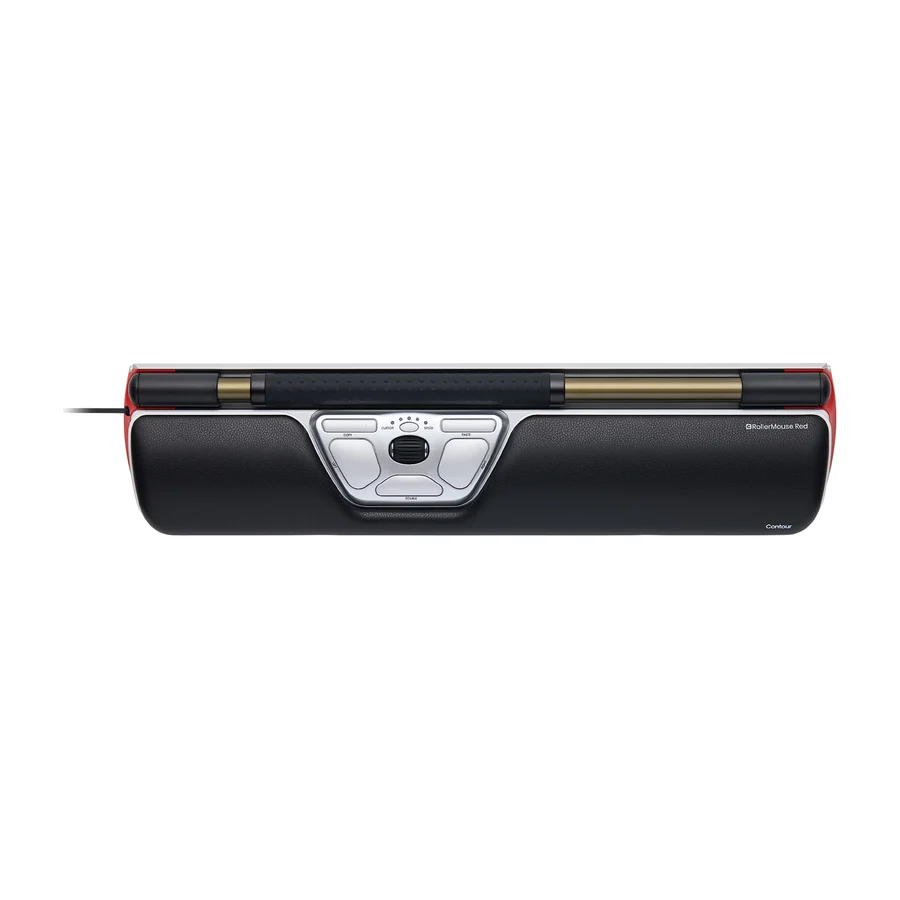 A tier #2
 Contour RollerMouse Red
 A tier #3
 Logitech MX Ergo S Advanced
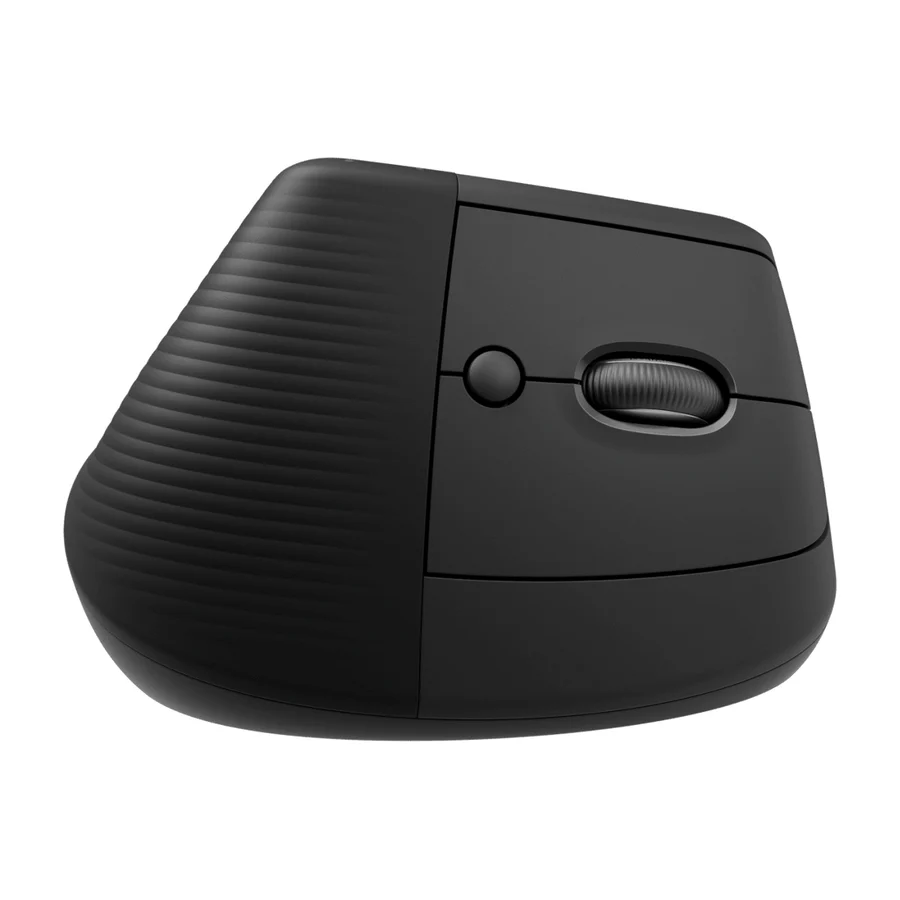 B tier #4
 Logitech Lift
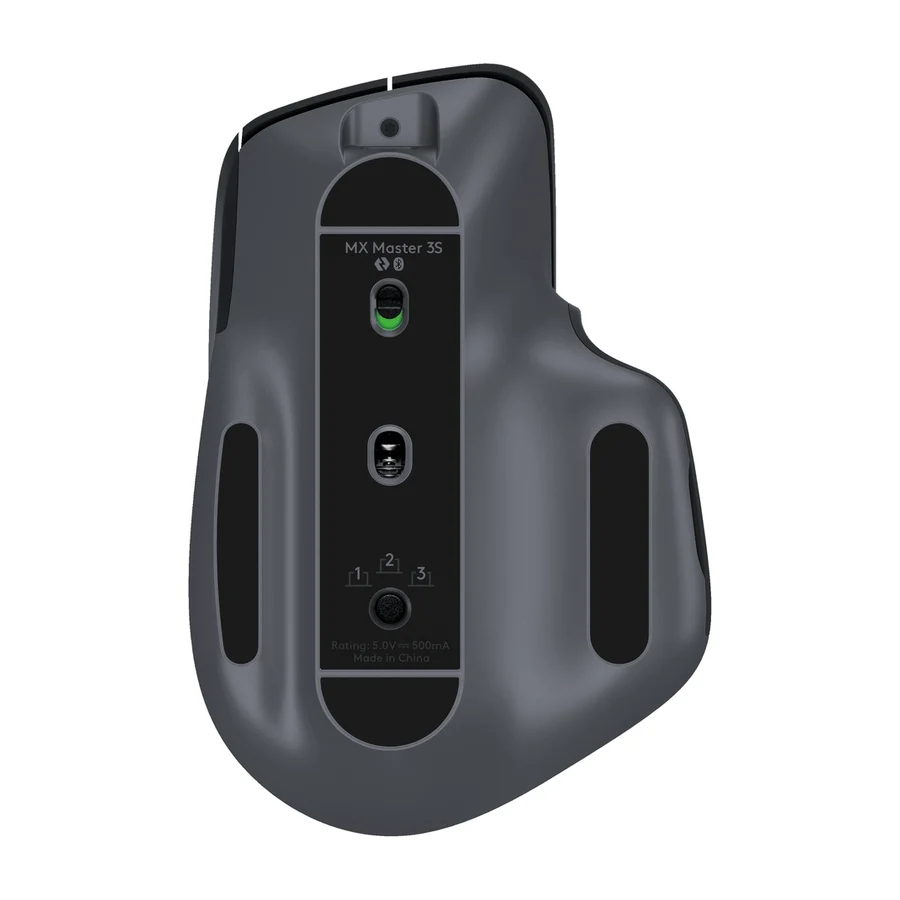 B tier #5
 Logitech MX Master 3S
 B tier #6
 Kensington Expert Mouse Wireless Trackball
 F tier #11 1 of 3 research runs entered this as a product to avoid rather than a pick.
 Logitech MX Master 3
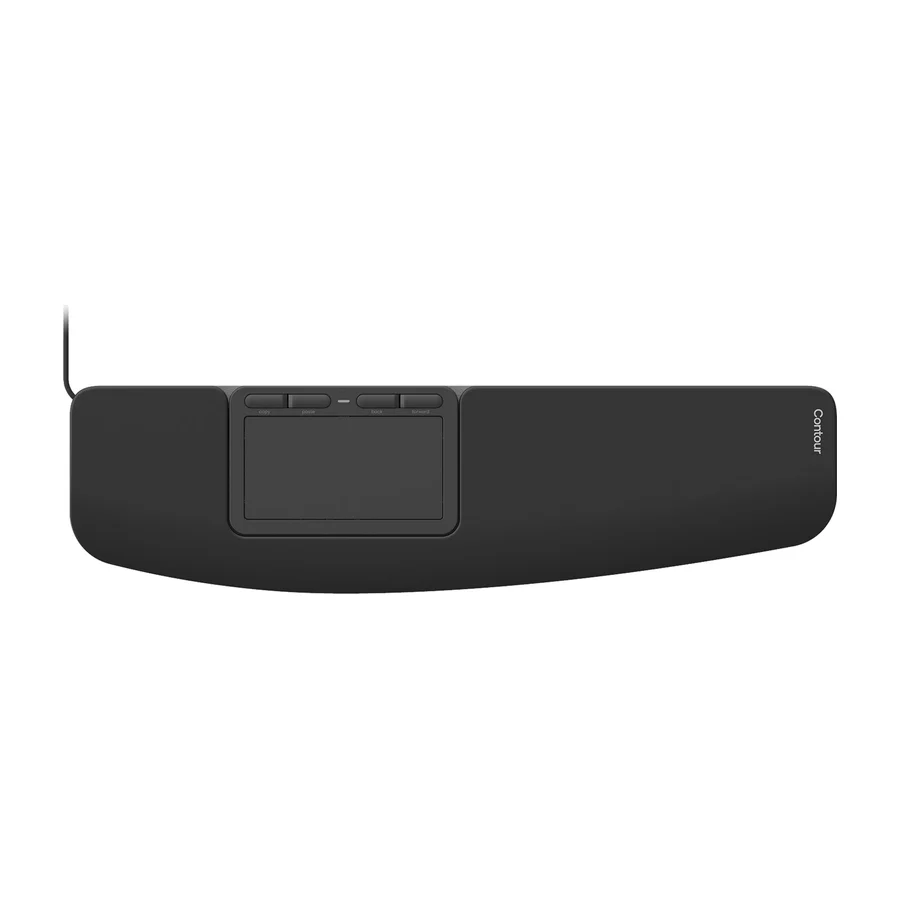 F tier #12 1 of 4 research runs entered this as a product to avoid rather than a pick.
 Contour Touch
 F tier #13 4 of 8 research runs entered this as a product to avoid rather than a pick.
 Seenda Ergonomic Mouse MOU-302
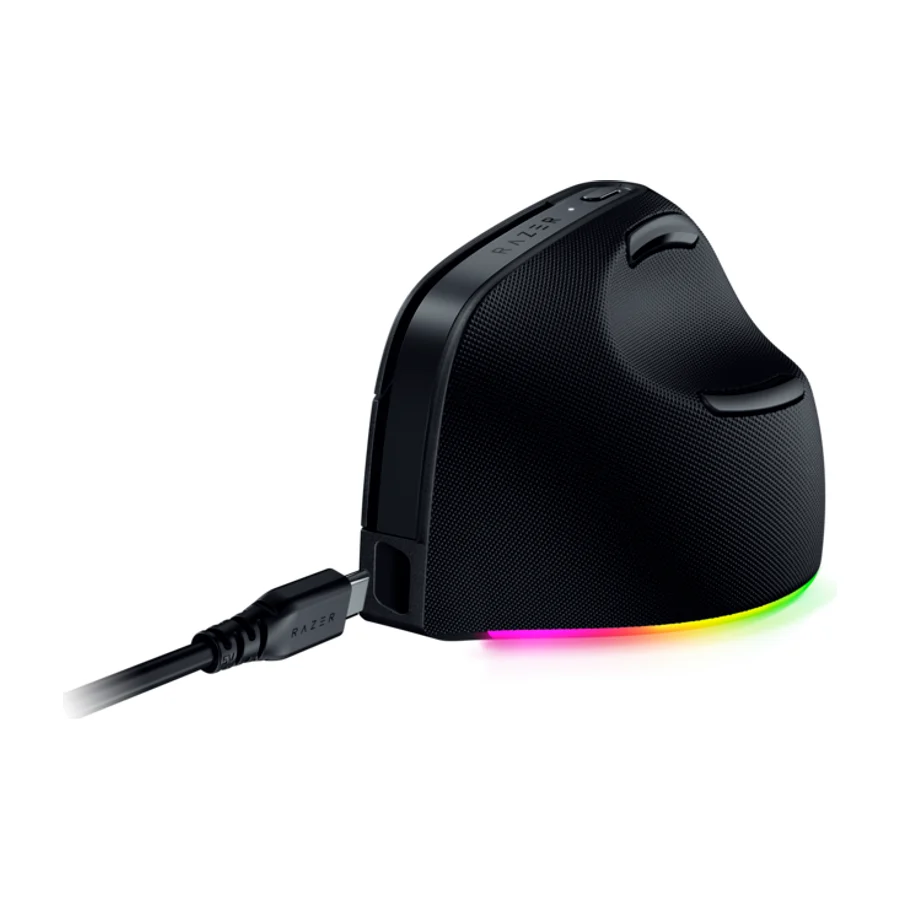 F tier #14 5 of 7 research runs entered this as a product to avoid rather than a pick.
 Razer Pro Click V2 Vertical
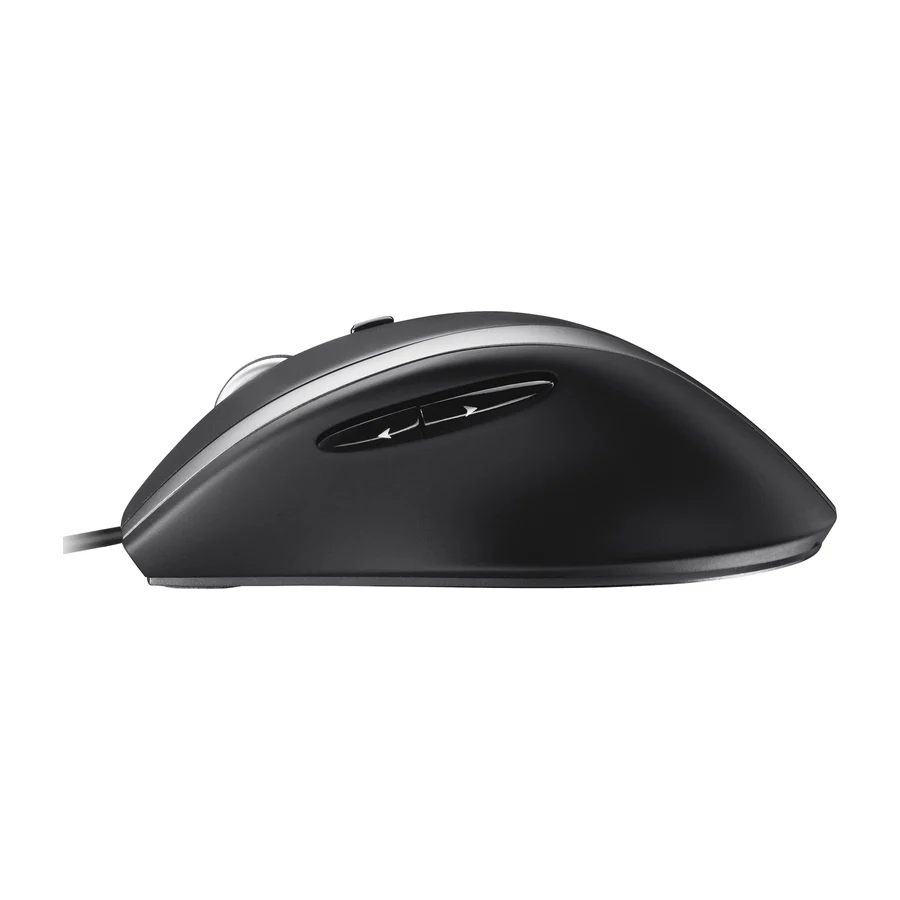 F tier #15 2 of 9 research runs entered this as a product to avoid rather than a pick.